FreshBooks vs QuickBooks: Which Fits Freelancers Best
A practical comparison of FreshBooks and QuickBooks Self-Employed covering invoicing, tax features, and workflow to help freelancers pick the right tool.
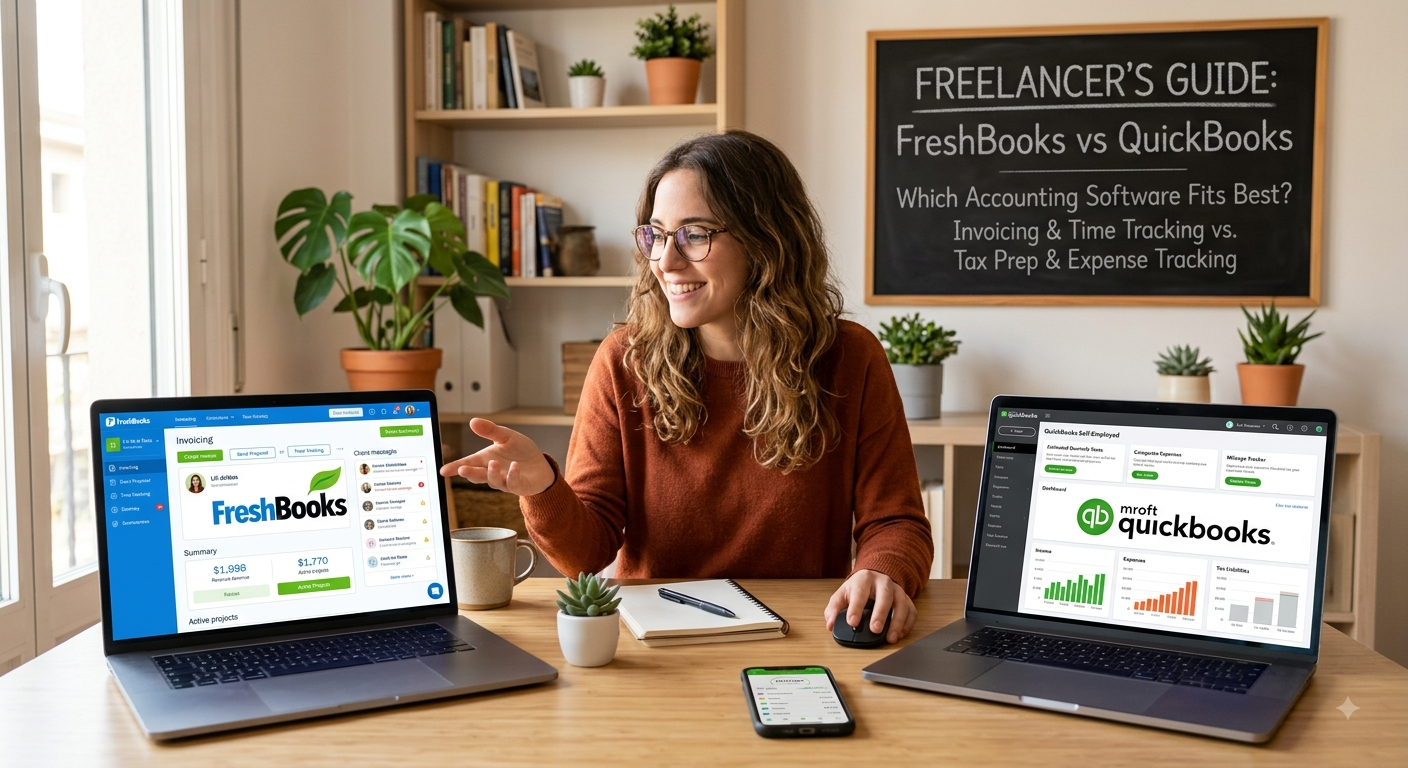
Choosing accounting software isn’t usually what freelancers look forward to when starting out. But the moment client deadlines pile up or tax season looms, picking the right tool quickly becomes one of the most critical decisions on your plate.
Quick recommendation
FreshBooks: If your daily headache revolves around invoicing, billing hours, and sending proposals, go with FreshBooks. Its interface is clean, professional, and built to make client interactions feel effortless.
QuickBooks Self-Employed: If quarterly taxes, expense categories, and mileage tracking keep you up at night, QuickBooks Self-Employed is usually the better bet. Its tax forecasting tools are sharper, and it gives you an easier upgrade path as your business scales.
How the options differ
FreshBooks and QuickBooks Self-Employed target the exact same crowd: solo workers who need to handle invoices and track income without hiring a bookkeeper. Yet they approach the job from opposite ends. FreshBooks focuses heavily on the client-facing side of freelancing—polished invoices, custom proposals, and integrated time tracking. QuickBooks Self-Employed zeroes in on the tax side: categorizing expenses, estimating quarterly tax obligations, and logging business trips. Neither platform is a wrong choice. The real question comes down to where you run into the most friction every month—handling client billing or staying on top of tax prep.
| Criteria | FreshBooks | QuickBooks Self-Employed |
|---|---|---|
| Best for | Client invoicing and time tracking | Tax estimates and expense tracking |
| Learning curve | Lower — intuitive client-facing tools | Lower — guided step-by-step tax setup |
| Invoicing & client experience | Strong, polished client portal and custom proposals | Basic invoicing, utility-focused design |
| Tax tools | Standard expense categories | Automatic quarterly tax estimates |
Where FreshBooks Belongs at the Top
FreshBooks built its reputation on client-facing polish. Customizing invoices is straightforward, and they look sharp right out of the box. The built-in time tracker connects directly to billing, turning logged hours into line items on an invoice without any tedious manual re-entry. Its client portal gives freelancers who bill hourly or invoice frequently a genuine edge. Clients can view, comment on, and pay invoices in one central spot, saving you from constant back-and-forth emails. Practical Tip: Set up recurring invoices in FreshBooks for retainer clients you bill the exact same amount every month. It removes one more tedious task from your end-of-month routine.
Where QuickBooks Self-Employed Takes the Lead
QuickBooks Self-Employed excels at keeping you ahead of tax season so you aren't scrambling in April. Linking your bank account lets the software flag business expenses automatically while calculating estimated quarterly payments. That keeps you from getting hit with a surprise tax bill or underpayment penalties. The built-in mileage tracking is another major convenience if your freelance work involves driving. It logs trips in the background via your phone, so you don't have to keep track of mileage by hand.
At the end of the day, neither platform is universally better than the other—they simply solve different headaches. If you spend hours tweaking invoices and chasing client approvals, FreshBooks will feel like a breath of fresh air. But if tax deadlines give you anxiety and keeping track of business expenses feels like a mess, QuickBooks Self-Employed is hard to beat. The right choice comes down to where your daily workflow breaks down most often. Take advantage of their free trials, test out the features you’ll actually use every week, and pick the tool that gives you peace of mind so you can stop worrying about numbers and get back to paid work.
Pros
- Polished, professional client invoices and proposals; strong time tracking tied straight to billing; clean and easy-to-use client payment portal.
- Automatic quarterly tax estimates; hands-off built-in mileage tracking; seamless upgrade path into full QuickBooks Online as your business grows.
Cons
- Less developed tax estimation tools; lacks built-in mileage tracking; less useful if your main challenge is tax prep rather than client billing.
- Invoicing options feel basic; reporting features are thin if you aren't strictly focused on tax filing.
Summary
Pick FreshBooks if client invoicing, proposals, and tracking hours take up most of your administrative energy. Go with QuickBooks Self-Employed if managing mileage and keeping quarterly tax surprises at bay matter more to your day-to-day operations. If you're still undecided, think about where you encounter the most stress: managing client communications or handling tax prep. Let that answer guide your choice far more than a feature matrix would.
More in Software Comparisons
View allFrequently Asked Questions
Do I need accounting software as a freelancer, or can I just use a spreadsheet?
A spreadsheet works fine when you're starting out. Once you manage several clients or have to deal with quarterly tax estimates, dedicated software pays for itself in time saved alone through automated tracking and instant expense grouping.
Which is easier to hand off to an accountant at tax time?
Both export clean reports for tax pros, though QuickBooks holds an edge simply because so many accountants already use it daily. If your CPA works in QuickBooks Online, that workflow might save you some back-and-forth.
Newsletter placeholder
Future weekly technology brief
This block reserves a clean, non-intrusive location for a future newsletter without changing article layouts later.
Comments placeholder
A future comments system can be added here without changing the article template.