How to Start Using AI Agents to Automate Your Daily Tasks
A practical, hands-on guide to delegating daily work to AI agents safely, without losing control or giving up too much autonomy.
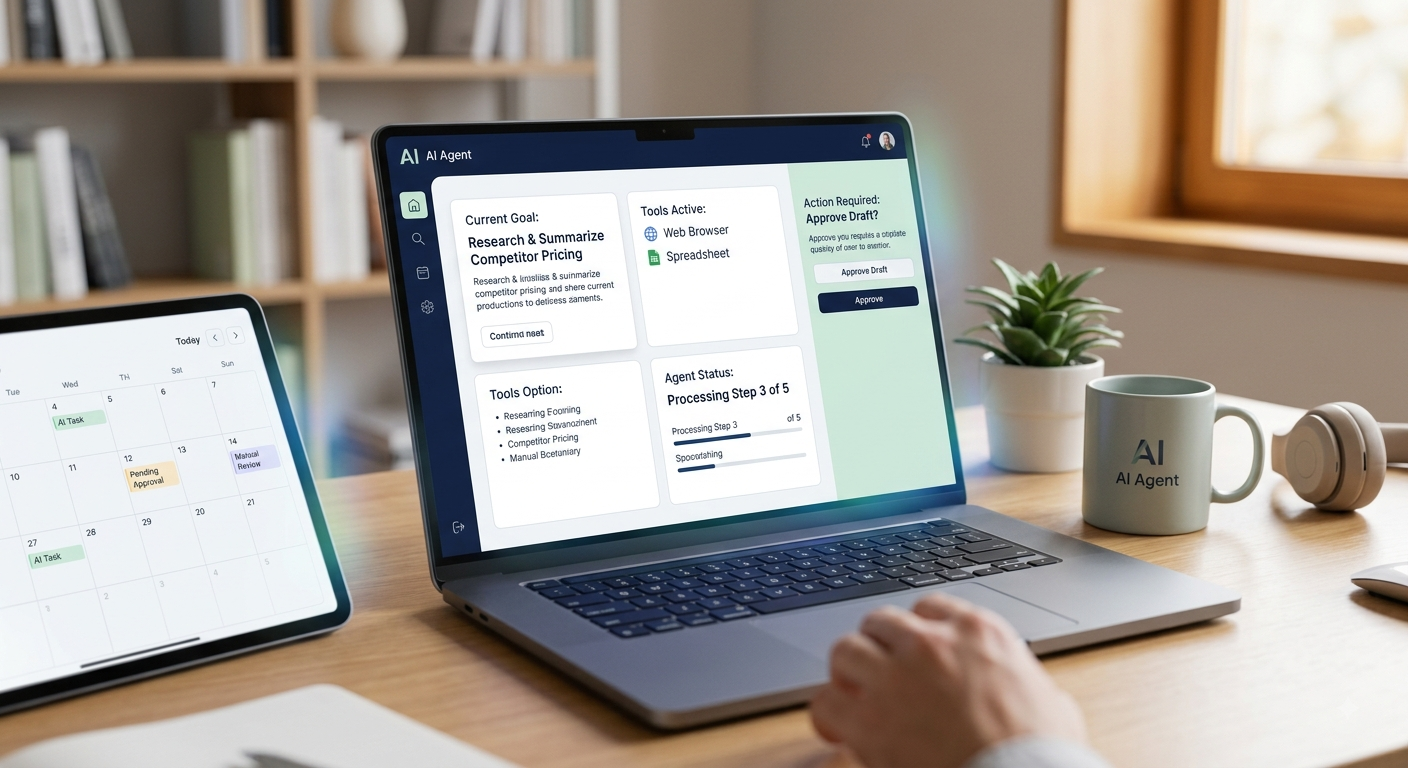
Anyone who has used a conventional AI chatbot knows the familiar pattern: you enter a prompt, get a single response, and then decide what step to take next. AI agents operate under a fundamentally different model. Instead of posing an isolated question, you hand over an overall objective. The agent breaks that goal down into actionable steps, interacts with tools like search engines, calendars, or document stores, and powers through the task with far less back-and-forth. That evolution—moving from single-turn Q&A to autonomous workflow execution—is driving much of the recent momentum behind AI agents. However, handing over real tasks without proper safeguards can quickly turn frustrating. Here is a sensible framework for getting started without surrendering control over your work.
What readers should know first
The core distinction between a chatbot and an agent lies in what happens between your initial request and the finished product. A chatbot returns one answer and pauses until your next input. An agent plans a sequence of actions, selects appropriate tools, checks intermediate results, and adapts its approach as it goes—all without prompting you at every step.
While that autonomy makes agents powerful, it also means mistakes can compound. If a prompt is ambiguous or if a tool returns unexpected data mid-stream, an agent can drift much farther off course than a simple conversational chatbot would. Recognizing this tradeoff is essential before handing over real work.
Main recommendation
Pick one predictable, recurring task this week that is narrow enough to evaluate clearly—such as summarizing a weekly research query or compiling a dataset. Hand it off to an AI agent with a mandatory review checkpoint at the end, and only expand what you delegate as you observe consistent, reliable results in practice.
Step 2: Choose an Agent Tool That Fits the Task
Agent software generally falls into three main categories: general-purpose AI assistants with built-in agent features, browser-automation tools that navigate web interfaces and complete forms, and domain-specific agents tailored for specialized areas like coding or customer support.
Step 3: Set Clear Boundaries and Checkpoints
Before hitting run, establish which actions require your explicit sign-off. Most platforms let you gate high-impact operations—such as sending emails, processing payments, or modifying shared files—while allowing background steps like research or drafting to proceed automatically. Always build in a final review step. Examine the completed work thoroughly before putting it into practice, just as you would review a deliverable from a newly hired assistant.
Common Mistakes to Avoid
The single biggest mistake users make is granting wide autonomy before establishing a track record. Start small and expand what you delegate only after seeing consistent, reliable performance.
A second mistake is assuming the agent understands background context you never provided. Unstated preferences, internal terminology, or implicit guidelines must be explicitly stated in your instructions. Finally, avoid abandoning agent tools after a single bad run. More often than not, a poor result points to a vague or overbroad prompt rather than a flaw in the tool itself. Tightening the scope and clarifying constraints usually fixes the issue.
Summary
The primary advantage of an AI agent over a chatbot is its ability to execute multi-step projects using external tools with minimal intervention. Unlocking real value requires choosing a narrowly focused task, picking a tool designed for that workflow, and establishing firm approval gates for high-stakes actions. To put this into practice, select one predictable, recurring task this week—one where success is simple to measure—and delegate it to an agent with a review step at the end. Expand your delegation over time based on actual results rather than theoretical potential.
More in Artificial Intelligence
View allFrequently Asked Questions
What's the actual difference between an AI agent and a regular chatbot?
Standard chatbots work in a back-and-forth pattern: you type a prompt, wait for an answer, and decide what to do next. An AI agent takes a broader objective and runs with it. It maps out the required steps, handles external tools like web browsers or calendar apps on its own, and keeps pushing toward the goal without needing you to sign off on every sub-task.
Is it safe to let an AI agent take actions on my behalf, like sending emails?
Yes, provided you put guardrails in place from day one. It's smart to require manual approval for high-stakes actions like sending messages, modifying files, or making financial transactions. Once the agent demonstrates consistent accuracy on lower-risk tasks, you can gradually loosen oversight. Most agent tools come with built-in review gates for actions that go beyond simple text generation.
Newsletter placeholder
Future weekly technology brief
This block reserves a clean, non-intrusive location for a future newsletter without changing article layouts later.
Comments placeholder
A future comments system can be added here without changing the article template.