What Is a Passkey? A Plain-English Explainer
An easy-to-understand breakdown of passkeys: how they replace passwords, why they block phishing attacks, how the tech works behind the scenes, and what to keep in mind.
What Is a Passkey?
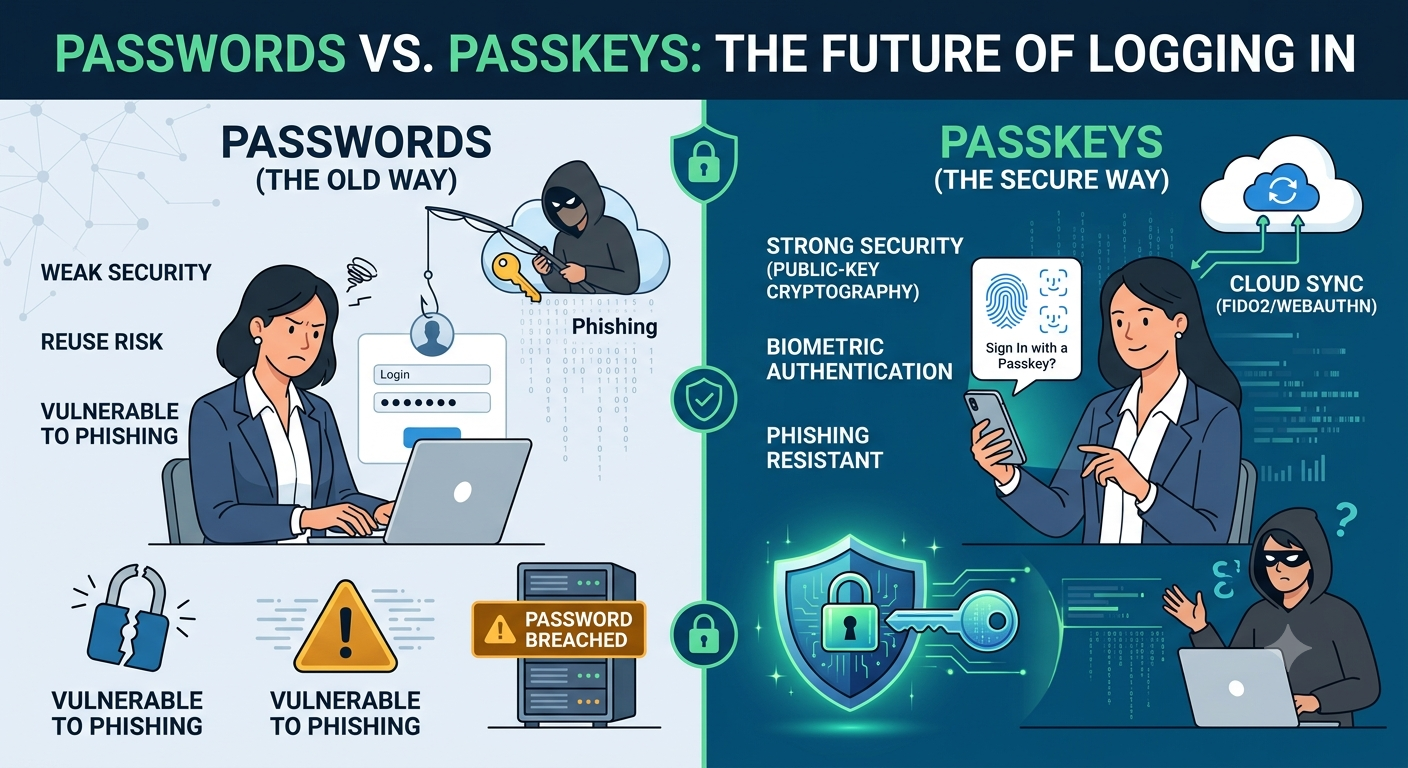
Instead of typing out a password, passkeys let you log in using your phone or computer's built-in security—like your fingerprint, Face ID, or a quick PIN. Under the hood, the system relies on public-key cryptography. Your device holds onto a private key that never leaves the hardware, while the app or website holds a paired public key. That public key is completely useless to anyone who doesn't possess your device's private half. Major tech platforms have been rolling out passkey support for a while now, and adoption is finally reaching a point where you'll likely run into them next time you log in somewhere. Here is what is actually going on behind the scenes when you set one up.
What it is
Passkeys operate on an open standard called WebAuthn, developed under the FIDO2 project. Major tech players—including Apple, Google, and Microsoft—all support it. That shared foundation is why a passkey created on one device works smoothly across different browsers and platforms, rather than locking you into a single company's ecosystem. Traditional passwords rely on a shared secret: you type in a phrase, send it over the wire, and the server checks it against what it has on file. Passkeys replace that setup with two mathematically linked keys: one private, one public. Only the private key—stored securely on your local device—can prove that it matches the public key on the server. Crucially, it provides that proof without ever exposing or transmitting the private key itself.
Why it matters
Passwords tend to fail in predictable ways. People reuse them across multiple sites, phishing scams trick users into entering them on fake login pages, and server breaches leak thousands of credentials at once.
Every single one of these vulnerabilities exists because passwords are strings of text that must be typed out, sent over the network, and stored somewhere—leaving them open to interception or theft. Passkeys avoid these weaknesses entirely. There is no password to reuse, typing entry onto a phishing page yields nothing useful to an attacker, and stolen database files contain only public keys, which cannot be used to log into your accounts.
How it works
Setting up a passkey usually takes just a couple of taps. When you opt to create one for an account, your device generates a brand-new cryptographic key pair dedicated to that specific service. The public key goes off to the website's server to be stored, while the private key stays locked inside your device's secure hardware, accessible only through Face ID, a fingerprint, or your device PIN.
What happens when you log in
- Instead of asking for a password, the service sends a temporary, one-time security challenge to your device.
- Your device prompts you for your fingerprint, face scan, or PIN to unlock the private key.
- Using that private key, your device signs the challenge and sends back only the digital signature—never the key itself.
- The service verifies the signature against its stored public key and signs you in if everything matches up.
What it does not do
It is worth keeping in mind that a passkey only protects the specific account it was created for. It won't lock down your physical phone, your email account, or any other login that hasn't been upgraded to use a passkey yet. Furthermore, if your device itself doesn't have a screen lock or PIN enabled, anyone holding your hardware could potentially gain access.
Summary
Passkeys replace traditional passwords with a secure cryptographic key pair unlocked by your device’s biometrics or PIN. Built on universal industry standards, they eliminate the need to transmit sensitive credentials during login, offering robust defense against phishing and data breaches. If a service you rely on supports passkeys, enabling them is a smart security upgrade—especially for high-value accounts linked to your email or finances. Just make sure the cloud account managing your passkey backups is properly secured, since that is what protects your access if your device is ever lost, stolen, or replaced.
More in Technology Explained
View allFrequently Asked Questions
Do I still need a password if I set up a passkey?
Not for that specific account. Once you enable a passkey, it usually takes over login duties completely. Some platforms might hang onto your old password as a backup option, but for day-to-day sign-ins, you won't be typing it anymore.
What happens if I lose my phone? Am I locked out of everything?
Usually, no. Most passkeys sync across your devices through cloud accounts like Apple’s iCloud Keychain or Google’s Password Manager. When you set up a new phone and sign into your cloud account, your passkeys come right back with it.
Newsletter placeholder
Future weekly technology brief
This block reserves a clean, non-intrusive location for a future newsletter without changing article layouts later.
Comments placeholder
A future comments system can be added here without changing the article template.