How to Build a Second Brain for Capturing Ideas
A practical, no-fluff guide to setting up a personal system that actually captures, organizes, and brings back your best ideas before they vanish.
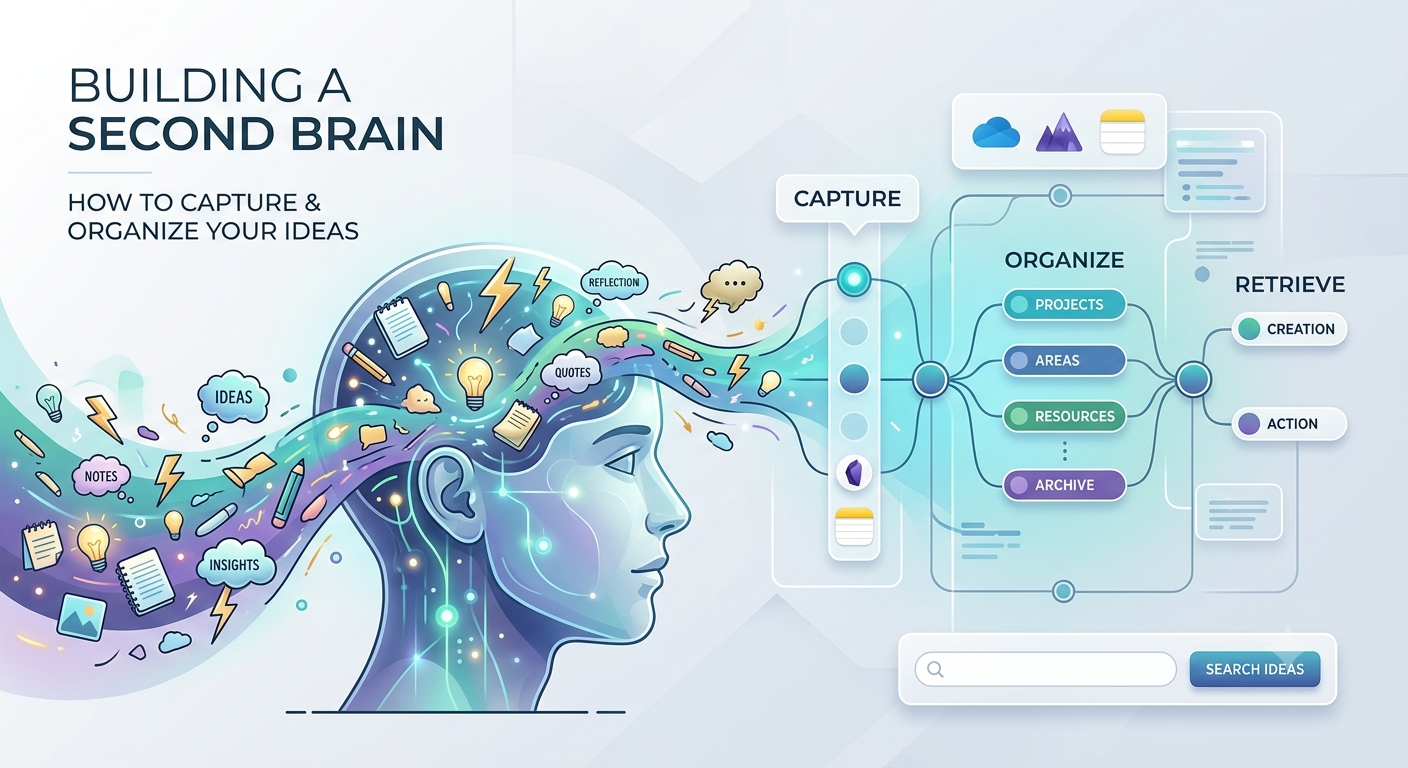
If you've ever had a genuinely brilliant thought while taking a shower, going for a walk, or sitting through a long meeting—only to have it vanish by the time you sat down at your desk—you already get the problem a second brain solves. At its core, it's just an external setup for capturing notes and useful ideas, structured just enough that you can actually retrieve them later. People throw the phrase around a lot, but the underlying concept is straightforward: your memory isn't dependable enough to hold onto every valuable detail. Building a trustworthy external system lets you stop trying to store everything inside your head.
What readers should know first
A second brain isn't defined by whichever app you download. It relies on three connected habits: catching ideas the moment they hit, organizing them just enough so they don't get lost, and regularly reviewing what you've gathered so you can actually put it to use. Plenty of people build elaborate setups in complex tools without ever forming the routine behind them—which is why your choice of software matters far less than most beginners assume. Start smaller than feels satisfying. A basic system you use every single day will always beat an intricate masterwork you abandon after four weeks.
Main recommendation
Step 1: Pick one app to be your single capture point
Pick one location—and strictly one—where every new thought lands first. Notion, Obsidian, or default Apple Notes all work fine. What actually matters is whether you'll open the app without second- guessing yourself, not how many advanced features it offers. If your notes are currently scattered across four different apps, a physical notebook, and random voice memos, consolidating down to a single entry point is the single most effective change you can make right out of the gate.
Step 2: Set up a simple structure, not folders for everything
Resist the urge to construct a complex folder tree before you've even logged a single note. A popular approach, often called PARA, sorts everything into four wide categories: Projects you're actively working on, Areas of ongoing responsibility, Resources you want to save for reference, and an Archive for stuff that is no longer active. Why broad categories work better than deep folders Deep folder structures force you to make a precise decision about where every item belongs the moment you create it. That friction slows down capture and often leads to notes piling up unfiled. A few wide buckets let you save things fast and rely on search or tags when you need to pull up specific notes later.
Common mistakes to avoid
The single biggest mistake people make is over-engineering their setup before using it—spending hours tweaking tags, templates, and folder hierarchies before logging a single real note. Start using a rough version right away and refine it based on real-world use, rather than what seems thorough in theory. Another common pitfall is splitting capture across too many tools at once, which ruins the benefit of having a single, reliable inbox. Lastly, avoid treating setup as a one-time project rather than an ongoing routine; the system only functions if that weekly review actually happens.
Summary
At its core, a second brain is a habit-based system. You capture ideas quickly, organize them into broad categories rather than deep folder trees, and review what you've saved on a predictable schedule. The specific app you choose matters far less than whether you actually use it consistently. Start this week: pick one app to serve as your single capture point, set up four or five broad categories instead of a detailed folder structure, and block out 15 minutes on your calendar next week for your first review. Everything else can be tweaked once the core habit is up and running.
More in Productivity
View allFrequently Asked Questions
Which app is best for building a second brain?
Honestly, the specific app doesn't matter nearly as much as whether you actually stick with it. Notion, Obsidian, or even default Apple Notes all work fine. Just pick whichever feels easiest to open and type in daily, rather than chasing whichever tool has the longest feature list.
How long does it take to see the benefit of a system like this?
Most people start seeing real value within a few weeks. That's about how long it takes to accumulate enough notes so that during a weekly check-in, an old, forgotten thought suddenly resurfaces and solves a problem on your desk today.
Newsletter placeholder
Future weekly technology brief
This block reserves a clean, non-intrusive location for a future newsletter without changing article layouts later.
Comments placeholder
A future comments system can be added here without changing the article template.